0115 971 3550

Frequently asked questions

Contents

Ordering

If you’ve selected the wrong address:

  • Before placing the order:
    • Use the address finder to select the correct address.
  • After placing the order:
    • Call our Customer Service team on 0115 971 3550, or
    • Raise a query on the order in your account.

Please refer to the training guide notes on the login screen of the ordering site or our website’s ‘How to guides’ section.

To access our ordering site, click the pink ‘Platform Login’ button at the top of the page. Then, enter your account username and password and sign in.

Yes. Once you’ve submitted an order for a particular property, you can place another order or finish the session and log out.

Yes, please. Ideally, you should use our mapping tool, but you can also upload your own plan.

Please read our Cancellation Policy first, and if you need help, call our customer services team on 0115 971 3550.

A postcode helps us to locate a property. Our website can search for a postcode when manually entering the address details in the relevant fields. Alternatively, you can use Royal Mail’s postcode finder service.

Select the ‘add address manually’ option when you’re asked to enter the property details.

However, it can be difficult for us to determine the boundaries of new developments. Therefore, we would appreciate it if you could upload a plan when ordering. If you know the postcode, please ensure it’s used. If in doubt, leave the postcode field empty.

Once you’ve placed an order, you can still edit it via the ordering pages, provided we’ve not started work on it. You can also add new searches to an existing order. Alternatively, telephone our customer services team on 0115 971 3550 (quoting the order reference), and they can do this for you. Please note that you must place a new order if you wish to amend the property address and the order has been completed.

Credit card ordering

BACS is the preferred payment method for account holders. However, you can also pay your invoice by credit card, debit card, or cheque. Please call our customer services team on 0115 971 3550 to discuss this.

To create a credit card ordering facility:

  • Go to our ordering site and click the pink ‘Platform Login’ button at the top of the page.
  • Click the ‘Register to Pay by Card’ button.
  • Enter your customer name, address, user name, and password to register.

Please contact our customer services team on 0115 971 3550 or email us at enquiries@severntrentsearches.com.

Yes. You’ll receive email confirmation from Severn Trent Searches and PayPoint for your order and payment.

Yes, all payments are processed through PayPoint, which is validated by PCI DSS (Payment Card Industry Data Security Standards). 

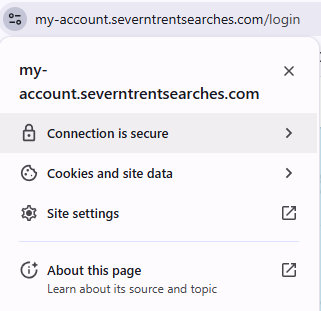
When paying, you can also look for the padlock symbol on our web page, which indicates that the site is locked and secure. All personal data is also encrypted before transmission.

Complete the account customer application form. Please note that applications are subject to a credit check and further terms and conditions apply. Please see the web site for further information or call the property searches accounts team on 0115 971 3550.

Yes. Please call our customer services team on 0115 971 3550 to arrange a refund on a cancelled conveyancing search. However, if your query is regarding refunds from Severn Trent Water, then please get in touch with their billing team directly on 0345 7500 500 or visit www.stwater.co.uk

Unfortunately, no. You must make one payment per order, although you can request multiple searches on one specific property address.

No. Severn Trent Searches will cover any administration charges. They will not be passed on to you.

Yes. You can add more users to the account either in the ‘Preferences’ section of the ordering pages or by sending your request to us via email at enquiries@severntrentsearches.com

We accept MasterCard, Visa Debit, Delta, Connect, Visa, Maestro, and Solo cards.

Manage your account

If you forget your password, you can select the ‘Forgot your password’ link on the log-in screen of our ordering site, contact us on 0115 971 3550, or send us an email at enquiries@severntrentsearches.com

In the ‘Preferences, contacts’ section of the ordering pages, you can:

Our account customers receive a monthly invoice, which must be paid via BACS transfer within 14 days of receipt. For further details, please get in touch with our customer services team on 0115 971 3550 or email them via enquiries@severntrentsearches.com

Dispatch and delivery

Once you’ve opened the PDF attachment, click on the “File” icon in the top left-hand corner of the screen. Then, scroll down, select “Save as… / Save a copy,” and choose the destination folder. Type in the desired filename and then click “Save.”

Each file is typically between 2MB and 5MB in size.

We can return all searches to you as a PDF attachment.

It depends on the report you ordered. For instance, we usually provide CON29DW reports in under half a day. If that information is available, you’ll find typical turnaround times on each product page.

Once your reports are completed, they will automatically be sent to your email address in PDF format and/or through the post, depending on which delivery method you requested when you placed the order. If you wish to change your delivery preference, you can do so in the ‘Preferences, settings’ section of the ordering site or contact us, and we’ll do it for you.

You must select the e-mail delivery method in the ‘Preferences, settings’ section  in the ordering system and provide us with your email address. Alternatively you can contact us on 0115 971 3550, and we’ll do it for you.

Click on Adobe’s website. Then, follow the onscreen instructions to download the free software.

Customer service issues

Yes. Please see our ‘How to guides’ page for help and support.

This website contains a wealth of product information; however, if you’d like to speak to someone, please call us on 0115 971 3550.

Please get in touch with our customer services team on 0115 971 3550 or email them via enquiries@severntrentsearches.com

Severn Trent Searches
Pure Offices, Sherwood Business Park
Lake View Drive
Nottingham
NG15 0DT

Tel: 0115 971 3550

Email: enquiries@severntrentsearches.com

Website

There are two options for doing this –

  1. You can choose to ‘Reject All’ cookies by clicking on the cookie consent icon at the bottom left hand side of the web page.

  2. You can disable cookies specific to the browser that you’re using. Below are the links for disabling cookies on the four main browsers.

    Google Chrome cookie preferences
    Safari cookie preferences
    Microsoft Edge cookie preferences
    Mozilla Firefox cookie preferences

Under the EU Directive on Privacy and Electronic Communications, our website stores limited information in the form of cookies. For full details, please refer to our Privacy Statement.

Still have questions?